
WHITTL
A Python development environment with built-in AI assistance, one-click builds for Windows and Linux (plus experimental Android APK support), and a full-featured code editor. Write code, generate code, or both.
THE WHITTL LAYER
Every other AI coding tool is a chat window over someone else's model. Whittl is the knowledge layer that sits between you and the AI — 75+ auto-fix rules, a curated skills library for PySide6, Flet, CustomTkinter, and general Python, oscillation guards, hard round caps, tool executors, and validators. The model writes the code; Whittl makes the model better at building Python desktop apps.
That layer compounds with use. Every auto-fix rule learned from a real bug. Every skill written from a confirmed pattern. The AI model lineup changes monthly — Sonnet, GPT-5, DeepSeek V4, Qwen3.5 Plus — the knowledge layer keeps Whittl's output consistent and reliable across all of them.
- 75+ auto-fix rules covering Qt scoped enums, Flet hallucinations, PyInstaller resource paths, deprecated APIs, hallucinated class names, and dozens more — Whittl catches and rewrites what the AI gets wrong before the code ever fails
- Skill library auto-injected based on your project's framework — PySide6 patterns for desktop apps, Flet mobile rules for Android builds, threading rules for both
- Oscillation guard + 5-round cap prevent runaway autofix loops that would otherwise burn tokens forever on the same error
- Validators catch bad code before it reaches your project — duplicate marker handling, file truncation detection, structural diff guards
- Compatible with Claude Code skills — drop in skills written for Claude Code or OpenCode and Whittl picks them up alongside its own library
IMAGE → APP
Drop a screenshot of any UI into Whittl and get a native Python app. A Figma mock, a web app you want to run locally, your own music player you're tired of configuring. Every other AI coding tool outputs more web. Whittl uniquely converts design references into runnable software you own.
- Drag-drop or clipboard-paste a screenshot into chat
- Works with Claude (Opus / Sonnet / Haiku), GPT-4o, Gemini 2.5 Pro/Flash, Llama 3.2 Vision, Pixtral, Qwen-VL, Gemma 3 — any vision-capable model on OpenRouter
- Images flow through tool-use rounds, not just the initial chat turn — the AI sees your image while it builds, not just when you send it
- Preview before send — attached images show inline with filename and size, removable, no silent bytes leaving your machine
DEVELOPMENT TOOLS
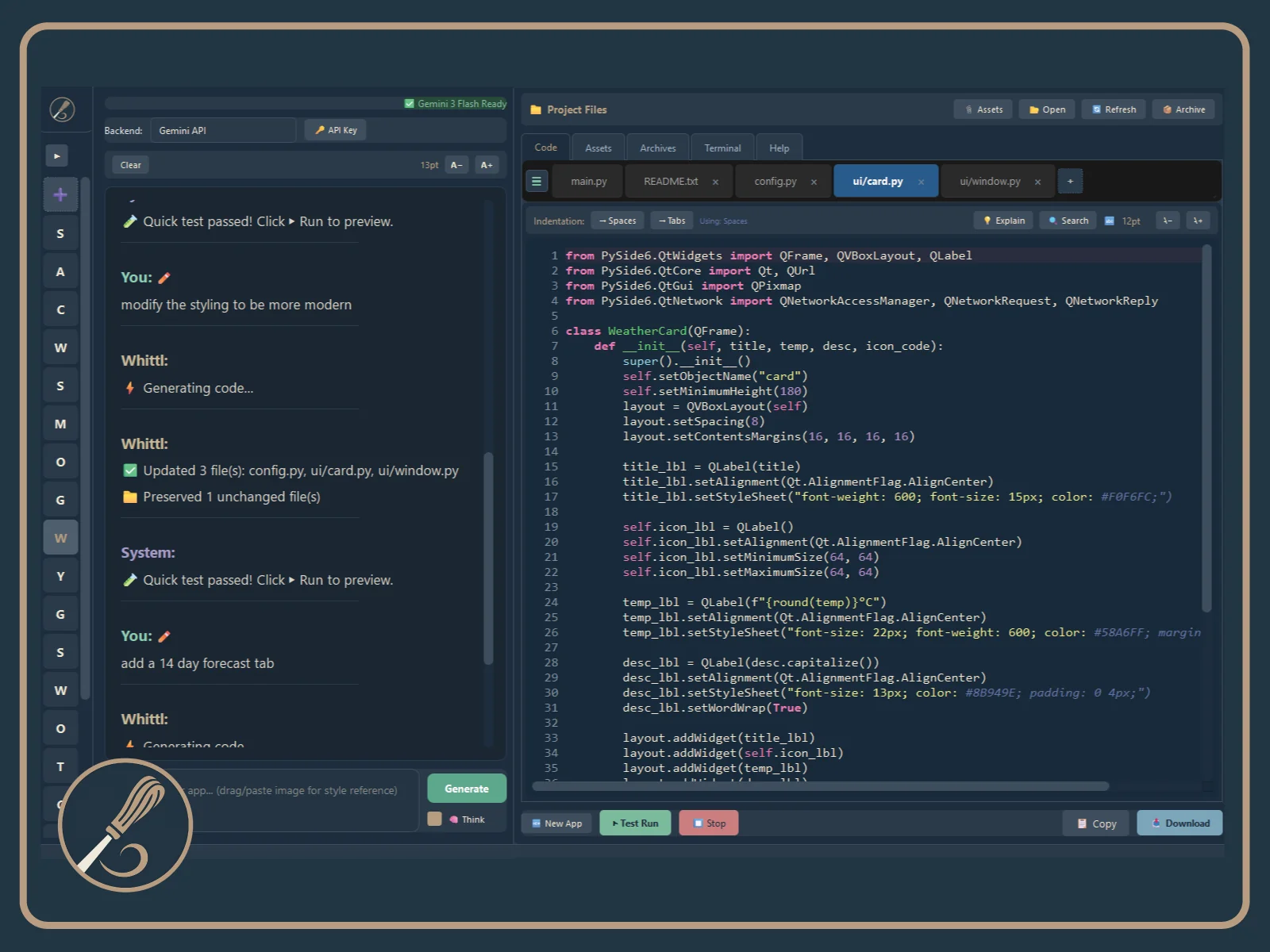
- Code editor with syntax highlighting, AST-powered code folding, autocomplete, and bracket auto-pairing
- Real-time error detection (pyflakes) with inline error indicators
- Multi-file project management with tabbed editing and line count tracking
- Smart file routing — keyword search + AI selects the right files in large projects
- One-click builds — Windows .exe, Linux AppImage, Android APK, and setup installers
- Explain mode — highlight any code and get a plain-English explanation
- Undo/history — roll back bad generations to any previous state
- Multi-file search across your entire project
- In-app auto-updater — Download → Restart to install, with SHA-256 checksum verification, no browser hop
- Real .py files on your disk — open in any editor, version with git, own forever
- Works on Windows and Linux
AI ASSISTANCE
- 4 targets — Desktop (PySide6), Mobile (Flet), Basic (CustomTkinter), or General Python (CLI tools, scripts, plugins)
- Conversational AI — ask questions, get explanations, iterate on your code through chat
- 5 AI backends — Claude, DeepSeek, Gemini, OpenRouter (200+ models), or fully offline with Ollama
- Smart editing — the AI changes only the lines that need to change, dramatically faster and cheaper than rewriting whole files
- Self-healing autofix — when your app crashes, the AI reads the traceback and iterates on fixes automatically, up to 5 rounds, re-running the app after each fix
- Built-in cost cache — multi-round conversations reuse context so your API bill stays small
- 75+ auto-fix rules catch common mistakes — hallucinated APIs, deprecated patterns, missing imports
- Context memory — the AI remembers your earlier conversation instead of forgetting after a few messages
- Bring your own API key — no middleman markup, no message limits, no monthly quotas
MOBILE BUILDS EXPERIMENTAL
Mobile APK builds are currently experimental. They work but may need troubleshooting on some devices. Desktop builds (Windows/Linux) are stable and production-ready.
- Build Android APKs with one click — no Android Studio, no Java, no Gradle
- Device format selector — Phone, Tablet, or custom dimensions
- One-click install to device via USB
- Pure Python APK signing — all build tools downloaded automatically
SCREENSHOTS
MOBILE APP OUTPUT
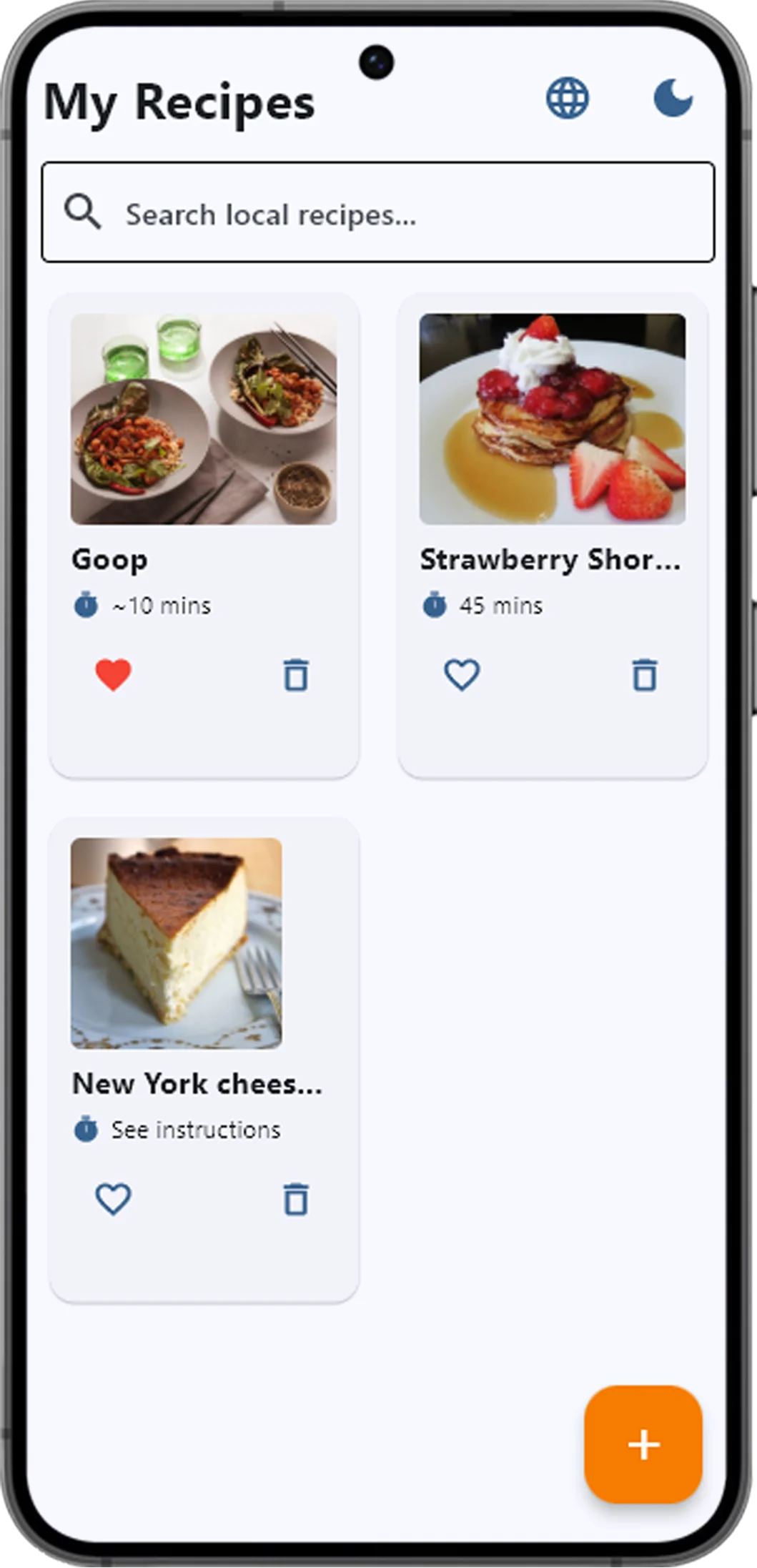
Phone — Recipe App
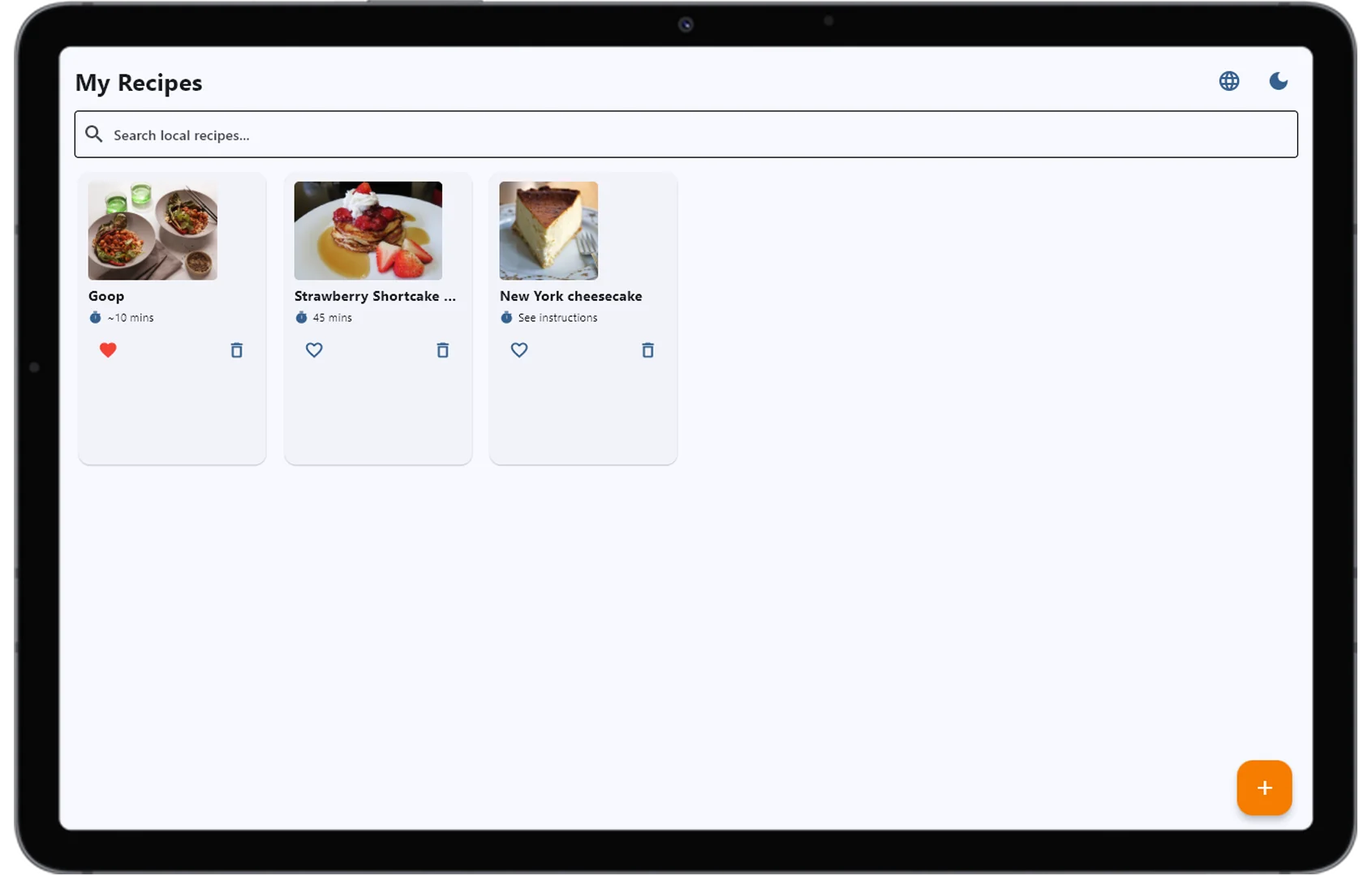
Tablet — Same App
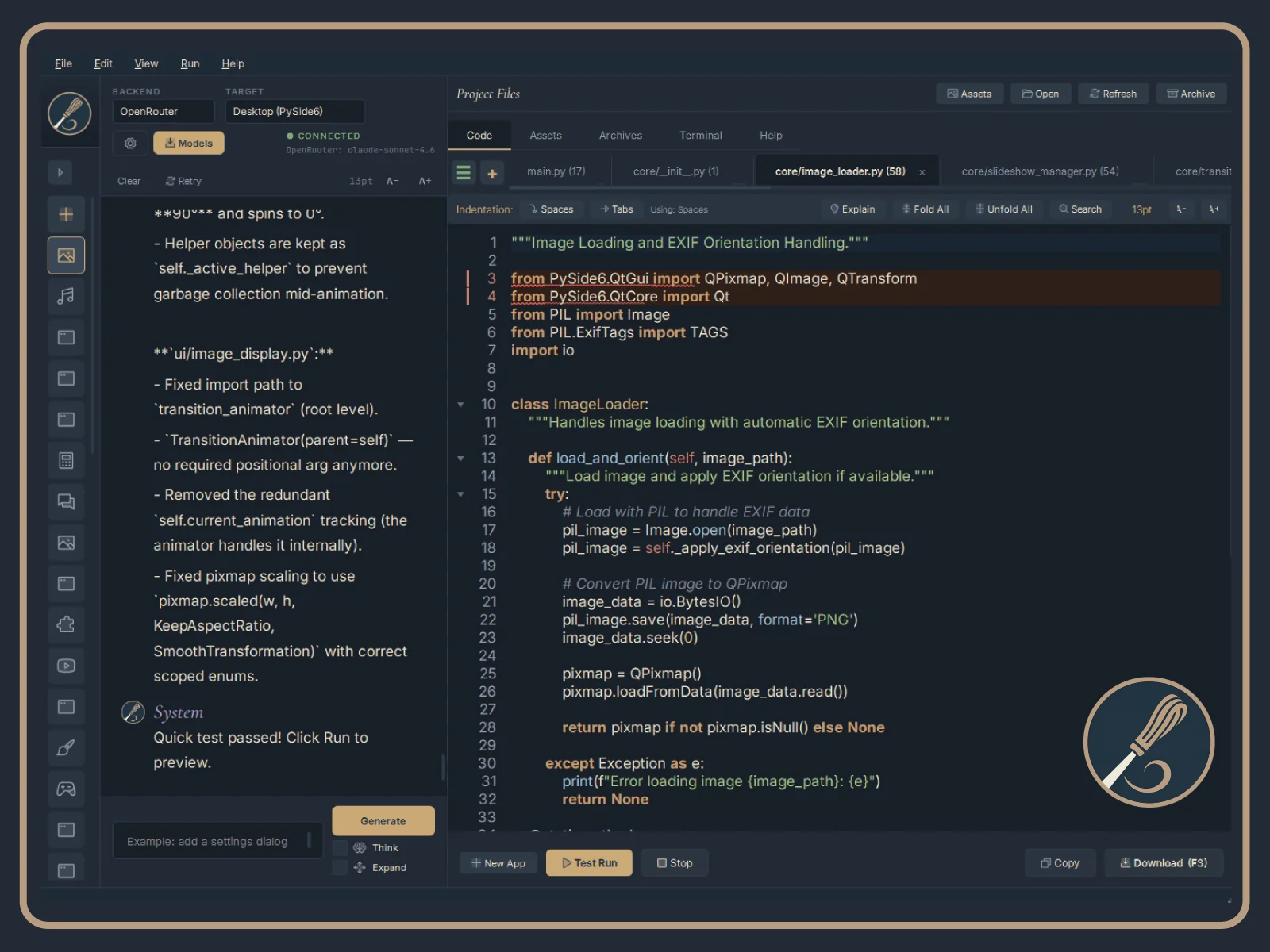
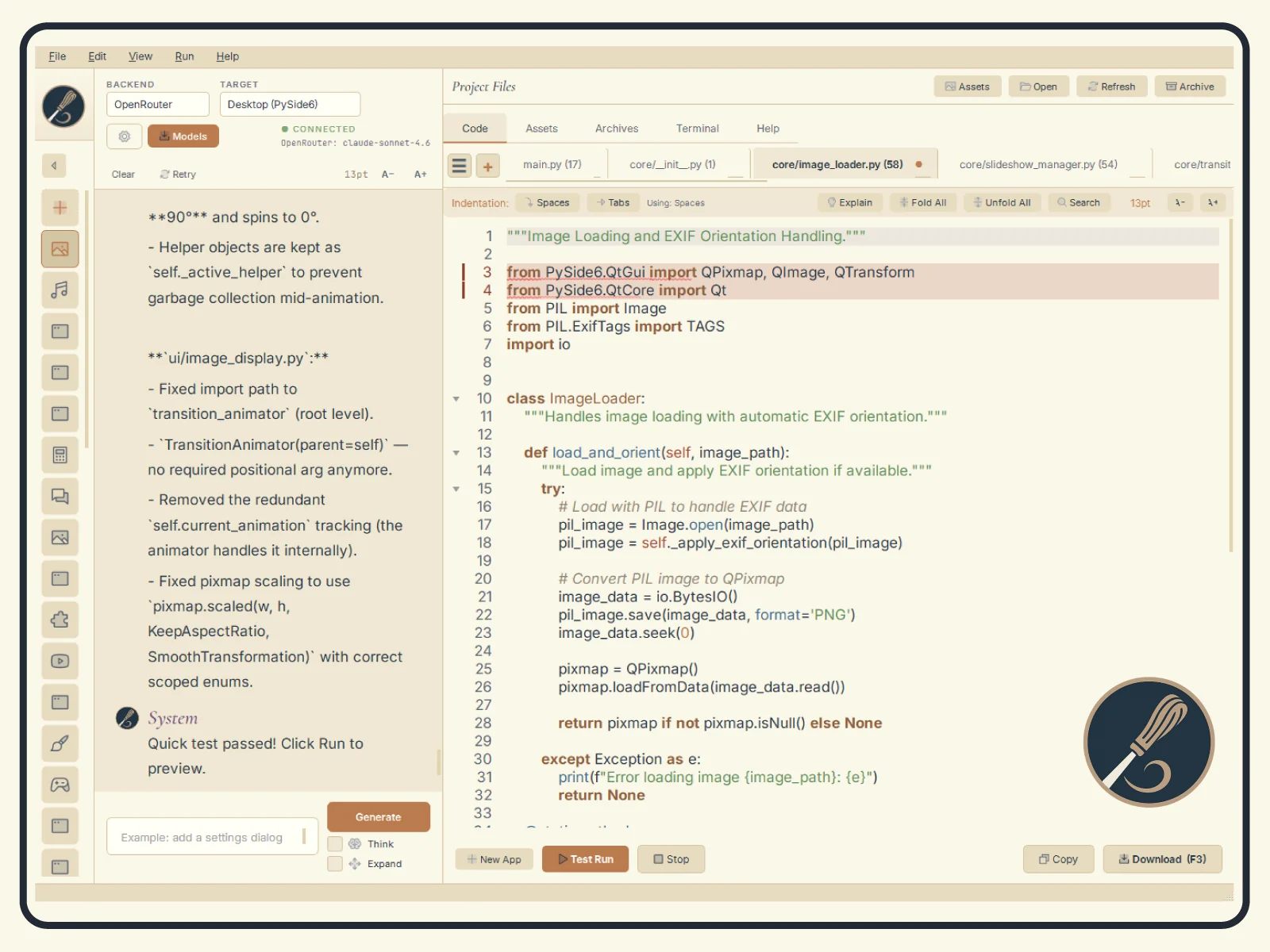
DARK & LIGHT THEMES
Cormorant Garamond and Inter typography, Phosphor Duotone icons throughout, and a refined navy, cream, tan, and copper palette. Dark and light themes are both polished, and flip cleanly without stale colors bleeding through.
DEMO
HOW IT WORKS
1. Start a new project or import existing Python code
2. Write code in the editor, or describe what you want and let AI generate it
3. Use the AI chat to ask questions, explain code, or iterate on changes
4. Run and test directly inside Whittl with built-in error detection
5. Build to .exe, AppImage, or Android APK with one click
What's New in v2.5.0 — Sharper with every cut
v2.5.0 is about one thing: the AI does not get stuck anymore. When it does not know, it can go and find out. When it makes a mistake, the mistake becomes a rule. And it does not get to say "done" until the tests agree. The top twenty:
- Web research. The AI can search the web and read pages while it works. No API key needed; searches show in chat as they happen, with a per-session budget. Agent Mode.
- Auto-learned skills. Every real auto-fix becomes a teachable pattern with a code example, fed back to every model. Duplicates are counted, stale entries retire, proven patterns get promoted into the permanent skill library.
- Test gate. If your project has tests, they run after the AI says it is done and before you see the result. Anything the change broke is reported in chat with a fix-ready report; pre-existing failures do not count.
- Auto-fix that finishes. A landed fix re-runs your app on its own and reports honestly: fixed, stopped, or unverified. No more "Testing fix..." forever, and Stop means stop.
- Auto-fix that verifies its claims. A fix for a missing-attribute error is checked against the real API before it is called fixed; if the replacement does not exist, the AI is re-prompted with the actual list.
- Auto-fix rules that understand Python. The pre-launch rule pass works from the language's structure instead of pattern-matching text, so it no longer rewrites valid code such as format templates, scoped imports or comments.
- Edits made outside Whittl are kept. Change a project file in another editor while Whittl is open and Play picks up your version instead of overwriting it.
- Big projects, fast Play. Play on a large project is near-instant after the first run, the first run is far faster, and project switching is quicker. The editor handles very large files without freezing.
- Cheaper auto-fix on huge projects. The AI reads only the code it needs instead of receiving the whole project every round: faster, and a fraction of the cost.
- Long-file surgical edits. Files past a few hundred lines are edited function by function instead of regenerated, at roughly a tenth of the cost; short files get one clean rewrite instead of a dozen partial edits.
- Every model, one engine. All five backends share one streaming, continuation and fallback engine. A long answer that hits a model's output limit is resumed instead of truncated, on every backend.
- Model-aware requests and the Claude 5 family. Whittl adapts each request to what the model supports, so the newest models are never silently downgraded, and a thinking-depth setting works across backends.
- Warm prompt caches on OpenRouter. Replies stay fast and cheap on big projects because Whittl keeps each session on the provider that already holds its cache.
- Review-only mode and deep review. Ask for a review and you get a review, not an unrequested rewrite, including on multi-file projects.
- Glob and multi-edit tools. Pattern-based file discovery and several edits in one call round out the agentic toolset.
- Claude Code skills, translated. Skills written for Claude Code are read from their usual folders and their tool names translated to Whittl's, so the guidance is right for the tool the AI actually has.
- New bundled skills. UI design quality, media playback, charting, plus file-format skills for images, Word, PDF and spreadsheets, and a hardened PySide6 WebEngine section.
- Linux, first-class. A tkinter-complete bundled Python on both platforms, a faster AppImage launch, and in-app builds that produce smaller executables that actually start.
- Project hygiene. Archives live on disk, saves reconcile the folder, build output is never treated as source, renames move the folder cleanly, and the install cache checks the runtime it claims to know.
- Updater hardening. Every connection Whittl makes itself now verifies with its own certificate bundle, which is what fixes the Windows update check going forward.
Windows users on v2.4.1: please re-download
If Help → Check for Updates in v2.4.1 says it could not check for updates, that is not your connection. The download server moved to a newer certificate chain that the v2.4.1 updater's built-in trust store cannot verify on some Windows machines. Nothing in v2.4.1 can be changed at this point.
Download the v2.5.0 installer from the link in your purchase email and run it over your existing install. Projects, settings, skills and API keys carry forward unchanged. From v2.5.0 on, the updater verifies with its own certificate bundle, so in-app updates work again.
Linux users are not affected: the AppImage updates in-app as before.
What's New in v2.4.1
- Fixed Infinite Fix Loop on PySide6 WebEngine Projects — Updated import rules to match PySide6 6.x, preventing Whittl from repeatedly "fixing" and breaking WebEngine imports.
- Preview Panel Edit Protection — Fixed a timing issue that could lose code changes when running immediately after AI edits.
What's New in v2.4.0
- In-App Auto-Updater. Download → Restart to install, with SHA-256 verification and silent install handoff. Resumable downloads via HTTP Range. No browser hop, no manual installer hunting. Linux AppImage gets in-place replace +
os.execv. - The Whittl Layer. The 75+ auto-fix rules, skills library, oscillation guards, round caps, tool executors, and validators that sit between you and the AI are now positioned as a first-class product concept. The model writes the code; Whittl makes the model better at building Python desktop apps. Versioned
whittl_layer.jsonmanifest pins the layer's components — foundation for v2.5's Commons download channel. - Rewritten Help Tab + Full Docs Site. The plain-text Help tab is now a proper QTextBrowser with quick start, keyboard shortcuts, troubleshooting ladder, and clickable doc links. Plus a brand-new 45-page documentation site at lyndeneftoda.com/docs/ (~62K words covering features, backends, workflows, and reference).
- Mid-Generation Question Tool. The AI can now ask you structured yes/no questions instead of guessing at design decisions (SQLite vs JSON, bottom tabs vs nav drawer). Per-session cap of 3 questions. Schema-gated off in Agent Mode and during auto-fix.
- Content-Aware Skill Injection + Lazy Loading. Skills declare YAML frontmatter that gates injection on the active project's actual imports and framework target. Lazy-loaded skills appear as an index in the system prompt (~125 tokens) and load on demand via a new
load_skill(name)tool. Major token savings on small edits. - Claude-Compatible Skill Paths. SkillManager now reads from
~/.whittl/skills/,~/.claude/skills/, and./.claude/skills/. Drop in skills written for Claude Code or OpenCode and Whittl picks them up alongside its own library. Whittl-wins dedupe protects vetted defaults. - edit_function — Per-Function Surgical Editing. A third edit tier between surgical-diff and full-regen. AI specifies
{function_name, replacement_body}; Whittl uses AST to locate the function, replace the body, and preserve indentation. ~10x cost savings on small fixes in big files (typo fix in a 760-line file drops from $0.10 to $0.01). - SHA-256 Fail-Closed Verification. Missing checksum sidecar now triggers an explicit "proceed without verification?" prompt defaulted to No. No more silent skipping of integrity checks.
- Linux AppImage Polish. Dedicated Linux-native Python bundle (not the Windows DLLs that were leaking through),
sys._MEIPASSpath resolution for fonts/icons/avatars, and proper PySide6 6.11.0 + dependencies preinstalled in the AppImage. - Plus dozens of bug fixes and polish items — tool-use loop preserves screenshots across multi-round generations, APK builder no longer falsely pip-installs stdlib modules, IMPORT_TO_PACKAGE consolidation across three drifted dicts, in-app updater Inno installer race fixes, and more.
FAQ
Is Whittl a one-time purchase?
Yes. $20 CAD one-time with no subscription, no message limits, and no monthly fees.
What AI providers does Whittl support?
Claude, Gemini, DeepSeek, OpenRouter (200+ models including free ones), and Ollama for fully offline use. Bring your own API key.
Can Whittl build Android apps?
Yes, though Android builds are currently experimental. One-click APK builds with no Android Studio or Java required. Desktop builds are stable and production-ready.
Do I own the code Whittl generates?
Yes. All code is saved as real .py files on disk. Open in any editor, version with git, own forever.
YOU MIGHT ALSO LIKE

Hybrid pixel and vector animation tool for game assets and illustration.

Fast, lightweight RAW image editor for photographers.